A weekly schedule template lets you see all seven days on one page, so you can spot a crowded Thursday before it happens. This page has 4 free, editable weekly schedule templates you can download, fill in and print, whether you are planning classes, work shifts, school runs or a study routine.
Why Plan the Week Instead of the Day
A daily list tells you what to do next; a weekly view tells you whether the week is realistic. Put your fixed items in first, such as lectures, shifts, appointments and pickups, and the free space that remains shows how much else you can honestly fit. If Monday and Tuesday are already full, a big task belongs on Wednesday, not squeezed in at 9 p.m. That is the main reason people prefer a weekly schedule to a to-do list when several commitments compete for the same hours.
Choosing a Weekly Schedule Template Layout
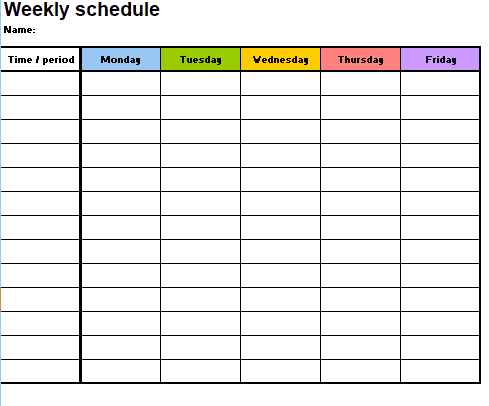
- Simple day-by-day grid: one column per day, good for tasks and reminders without exact times.
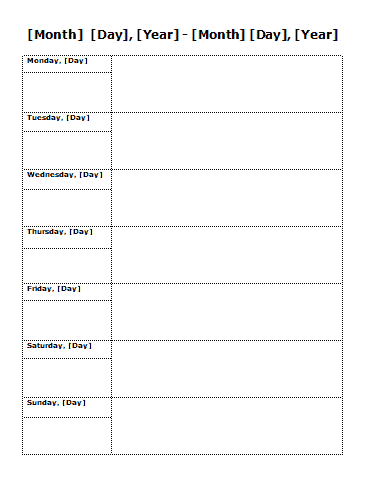
- Planner with a notes area: adds room for goals, errands or things to remember.
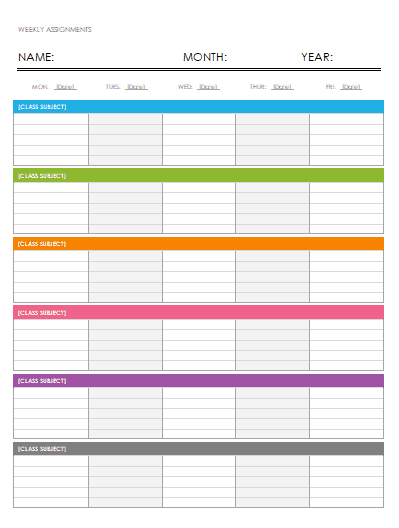
- Time-block layout: splits each day into slots, useful for study timetables and work rotas.
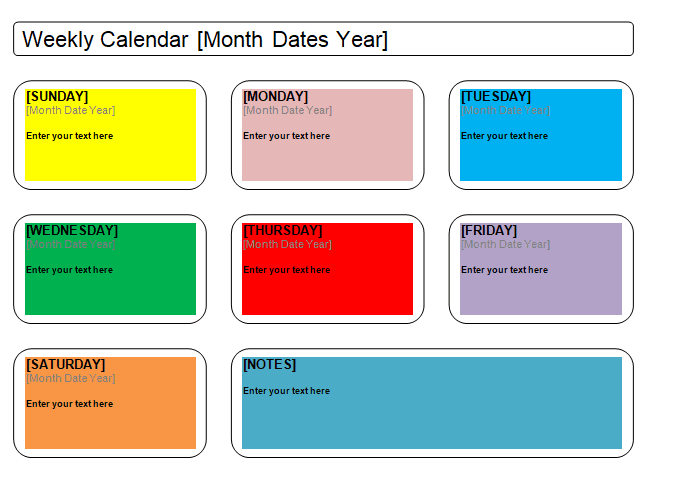
- Wide landscape sheet: gives more room per day when you have many short entries.
Pick the layout that matches how detailed your week is. A busy shift-based week benefits from time blocks, while a flexible week usually works better with a plain grid.
What to Put on a Weekly Schedule
- The week start date, so old sheets are easy to file
- Fixed commitments first: classes, work hours, appointments, standing meetings
- Two or three priority tasks per day rather than a long list
- Travel and preparation time around each fixed event
- Meals, exercise and rest, so the plan is not all work
- Deadlines, marked clearly on the correct day
- A small notes box for things that come up mid-week
A Sample Week for a Part-Time Student
Imagine a student with lectures on Monday, Wednesday and Friday mornings and a shift at a cafe on Tuesday and Saturday. On the template she enters those first. Then she adds two 90-minute study blocks on Monday and Thursday evenings, a grocery run on Sunday afternoon and an assignment deadline on Friday. Seeing the full picture, she realizes Wednesday is the lightest day and moves her group project meeting there. A five-minute plan on Sunday evening prevents the usual Thursday panic.
How to Use These ZIP Downloads
Each template below has a preview image and a download button. The files arrive as ZIP archives, so save the download, extract it and then open the editable file inside with a program that can edit it. The exact file type inside can differ from one download to the next, so check what you extracted before you start typing. Replace the sample text with your own, change the day names if your week starts on Sunday, and adjust fonts and colors to your taste. Print the result or keep a digital copy where you can see it every day.
Time Blocking Basics for a Weekly Plan
Time blocking means giving a task a specific slot instead of leaving it on a list. Estimate how long each job takes, then add about a quarter more, because most tasks run over. Put demanding work in the part of the day when you concentrate best and keep routine chores such as email or laundry for lower-energy hours. Group similar tasks so you switch less often, and protect at least one evening a week with nothing scheduled. If a block is missed, move it to the next open slot the same week instead of letting it disappear.
Mistakes That Make a Weekly Schedule Fail
- Filling every hour, which leaves no room for delays or a spontaneous invitation.
- Forgetting travel time between locations.
- Listing vague items such as “work on project” instead of a specific outcome.
- Making the plan once and never looking at it again during the week.
- Ignoring rest, which usually makes the following days less productive.
Habits That Make a Weekly Schedule Work
- Plan on the same day each week, for example Sunday evening or Friday afternoon.
- Leave at least one open block per day for surprises.
- Use a different color or symbol for work, study, family and health.
- Move unfinished tasks forward instead of deleting them.
- Keep last week’s sheet for a moment and compare it with what actually happened.
Weekly Schedules for Teams and Households
A manager can print one sheet per team member to show who covers which days, while a family can put a single schedule on the fridge with school events, sports practice and dinner plans. In both cases a shared sheet cuts down on “I thought you were doing that” conversations, because everyone can see who is responsible for what and when. Print extra copies for meetings, mark changes in pen, and replace the sheet at the start of each week so nobody works from an outdated version. If your plans change often, keep a pencil handy, or edit the file and reprint only the pages that changed.
Template file guide
Before completing your template
- Set the correct week dates and first day.
- Enter fixed commitments before additional tasks.
- Check for overlaps and allow travel or transition time.
Use the file links below to open an option directly, or continue to the previews to compare layouts. File formats are taken from the linked filenames. Extract ZIP archives before checking the files inside.
| File or resource | Format / source |
|---|---|
| simple weekly schedule template | ZIP |
| weekly planner with notes template | ZIP |
| weekly schedule with daily blocks template | ZIP |
| landscape weekly schedule template | ZIP |
Download Free Weekly Schedule Templates
Simple Weekly Schedule Template

Weekly Planner Template With Notes
Daily Blocks Weekly Schedule Template
Landscape Weekly Schedule Template
Related Templates
- daily planner templates when you need hour-by-hour detail
- cleaning checklist templates for splitting household chores across the week
- action plan templates to turn weekly goals into steps
- maintenance schedule templates for recurring upkeep tasks
Frequently Asked Questions (FAQs) About Weekly Schedule Templates
What should I fill in first on a weekly schedule?
Start with fixed commitments such as classes, work hours and appointments. Whatever time is left is what you can use for flexible tasks.
How is a weekly schedule different from a weekly planner?
A schedule focuses on when things happen. A planner often adds goals, notes and a to-do list. Some layouts here combine both.
Why are the downloads ZIP files?
Some downloads on this site are packaged as ZIP archives. Extract the archive first, then open the file inside in a program that can edit it.
Can I change the first day of the week?
Yes. Edit the column headings so the week starts on Sunday or Monday, whichever you prefer.
How many tasks should I put on each day?
Two or three priority tasks are usually realistic. A packed list tends to leave everything half done.
Can I use a weekly schedule for employee shifts?
You can adapt a layout to list who works when. Check your local rules on notice periods and record keeping for staff rosters.
How do I keep a weekly schedule from becoming stale?
Review it at the same time each week and note what you skipped. Adjust the next week based on what actually fit.
Can I print the schedule and also keep a digital copy?
Yes. Print it for the wall or desk and keep the edited file on your computer or phone as a backup.



You must be logged in to post a comment.