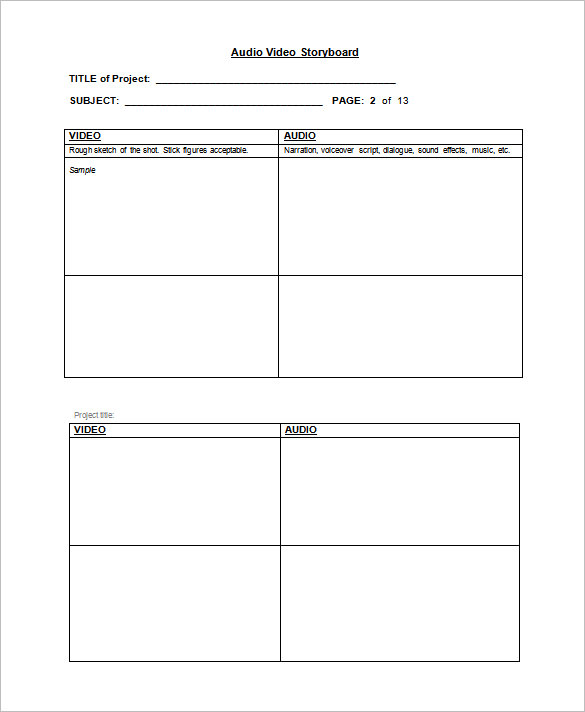
A free storyboard template lets you plan a video, animation, ad or presentation shot by shot before anyone picks up a camera. This page shows 19 storyboard template designs: 9 of them come with a direct download (5 ZIP packages and 4 PDF files), 5 are printable sample sheets shown as images only, and 5 are previews of online storyboard tools that link to other websites. ZIP files should be extracted before you open what is inside. Pick a layout that matches your screen shape and start sketching.
What a Storyboard Shows That a Script Cannot
A script tells you what is said. A storyboard shows what is seen: where the camera sits, who is in the frame, what moves and how one shot leads to the next. Each panel is a single moment, with a caption area for dialogue, narration, sound and timing. Reading the panels left to right and top to bottom gives you a silent preview of the finished piece.
That preview is where storyboards earn their keep. A confusing cut, a missing close-up or a scene that runs too long is far cheaper to fix with an eraser than on set. Filmmakers, YouTubers, teachers, e-learning teams, advertisers and app designers all use the same idea at different scales.
Storyboard Template Layouts and When to Use Them
- Wide 16:9 panels: match standard video and film, so what you draw is what the viewer will see.
- Vertical panels: for phone-first clips, stories and reels where the frame is tall and narrow.
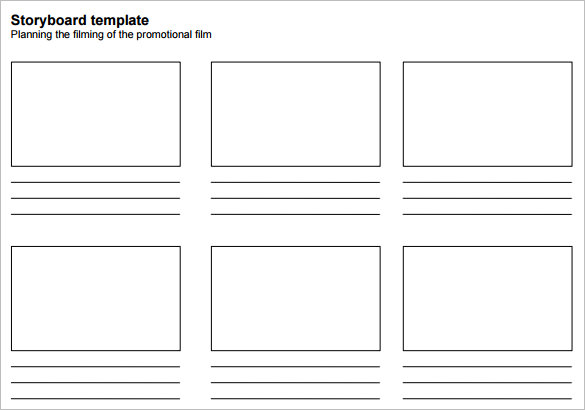
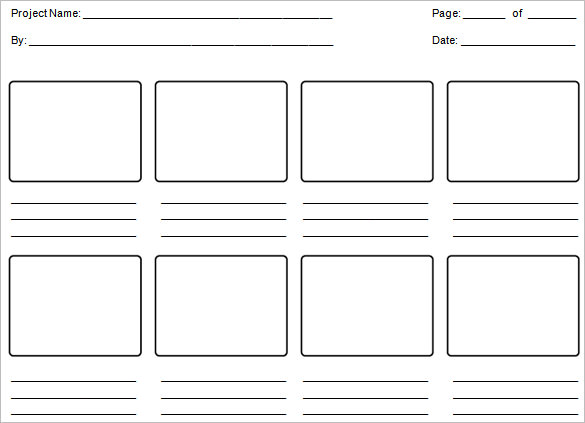
- Six-panel or eight-panel grids: a good size for a 30-second ad or a single tutorial step.
- Panels with wide note areas: best when dialogue, voice-over or sound cues matter as much as the picture.
- Blank sheets: for people who prefer to draw a grid themselves, or who want to paste in photos from a location visit.
- Slide-style frames: useful for training modules and explainer decks where each frame is a screen.
What to Fill In on Every Panel
- A panel or scene number that you can quote in feedback (“change panel 7”)
- A rough sketch, stick figures or a photo showing composition
- Shot type such as wide, medium or close-up, plus any camera movement
- Action described in one plain sentence
- Dialogue, narration or on-screen text
- Sound effects or music cues
- Approximate duration in seconds
- Transition to the next panel, such as a cut, fade or wipe
How to Storyboard a Video in Seven Steps
- Write the goal in one sentence, including who will watch and what you want them to do or feel.
- Draft a short outline or script and mark where the scene changes.
- Choose a template whose panel shape matches the final video.
- Sketch the key shots first: the opening image, the turning point and the closing frame.
- Fill in the in-between panels and add notes beneath each one.
- Read the sequence aloud with a timer and adjust panels that run long.
- Share it with the client or crew, collect comments by panel number and revise.
Example: A 30-Second Product Ad
Panel 1 is a wide shot of a cluttered desk at 3 seconds. Panel 2 is a close-up of a hand reaching for the product at 3 seconds. Panel 3 shows the product in use at 6 seconds with a voice-over line. Panels 4 and 5 show the result and a happy customer at 5 seconds each. Panel 6 is the logo and web address held for 4 seconds, and a final panel adds a 4-second call to action. Timing the panels before shooting shows straight away whether thirty seconds is realistic.
Who Uses Storyboards and What They Look For
Video editors use storyboards to check continuity, so a coat that is on in one panel is not missing in the next. Teachers use them to help students plan a class film or digital story before recording. Marketing teams show clients a storyboard to secure sign-off on the concept, the pacing and the on-screen text. Game and app designers sketch a sequence of screens the same way, using each panel as one step of the user journey. In every case, the template does the same job: it forces you to decide what happens next.
If you work with others, agree on a naming habit early. Save each version with a date, keep the previous one and mark changed panels in a different color. That small habit makes review meetings shorter and avoids the classic problem of two people editing different versions.
Common Storyboard Mistakes
- Drawing too much detail, which slows planning down and makes people reluctant to change panels
- Choosing a panel shape that does not match the final video format
- Cramming two actions into one frame instead of splitting them into two panels
- Leaving timing off, then discovering the edit runs long
- Skipping panel numbers, which makes feedback hard to follow
- Showing the same camera angle in every panel, which produces a flat result
Template file guide
Before completing your template
- Match the panel shape to the intended screen format.
- Number shots and distinguish dialogue from visual directions.
- Check that the sequence covers transitions as well as key scenes.
Use the file links below to open an option directly, or continue to the previews to compare layouts. File formats are taken from the linked filenames. Extract ZIP archives before checking the files inside. Outside provider links take you to another website; check that site’s available formats and terms.
| File or resource | Format / source |
|---|---|
| audio video storyboard template | ZIP |
| storyboard template with note lines | ZIP |
| 16×9 blank storyboard template | ZIP |
| storyboard template panel grid | ZIP |
| storyboard template with caption area | ZIP |
| storyboard format PDF | |
| vertical storyboard template | |
| storyboard format PDF layout | |
| film storyboard template 16×9 PDF | |
| Storyboard examples at storyboardthat.com | Outside provider |
| Storyboard resource at boords.com | Outside provider |
| Storyboard resource at the-flying-animator.com | Outside provider |
| Storyboard resource at acmi.net.au | Outside provider |
| Storyboard resource at theplot.io | Outside provider |
Free Storyboard Template Downloads
Click any preview to see it full size. Where a download button sits below a preview, press it to save the file. ZIP downloads need to be extracted first; PDF downloads open in any PDF reader and are good for printing and sketching by hand. Printable sample images and online tool previews have no download button of their own, so use them as ideas for your own layout.
Storyboard Template ZIP Downloads



Storyboard Template PDF Downloads


Printable Storyboard Samples




Online Storyboard Creators




Related Templates
Frequently Asked Questions About Storyboard Templates
What is the difference between a storyboard and a shot list?
A storyboard shows each shot as a picture. A shot list is a plain written list of shots for the crew. Many productions use both, with the storyboard for design and the shot list for scheduling.
How many panels should a storyboard have?
There is no fixed number. A short ad may need six to twelve panels, while a longer video needs more. Draw a panel whenever the camera angle, location or action changes noticeably.
Do I need to draw well to storyboard?
No. Stick figures, simple shapes and photos all work, because the aim is to show composition and order.
What panel shape should I choose?
Match your final video: 16:9 for standard widescreen, tall panels for vertical phone video.
Can I storyboard a presentation or training module?
Yes. Treat each panel as a slide or screen and use the note area for the talking points, narration and any on-screen prompts.
How do I use storyboards with a client?
Number every panel and ask for comments by number. Approving a storyboard before filming also gives both sides a shared record of what was agreed.
Which file types are on this page?
The direct downloads are ZIP packages, which you extract first, and PDF files. The other previews are image-only samples or links to online tools.
Can I print these templates?
Yes. Print as many copies as you need and sketch by hand, or use a PDF viewer to test the layout before you print a batch.



You must be logged in to post a comment.