A clear free instruction manual template saves the writer from staring at a blank page and saves the reader from guessing what to press next. This page shows 11 free instruction manual layouts you can preview and download, from single-page how-to guides to multi-section product manuals. Most downloads are Word documents (.docx), a few arrive as ZIP files, and one is named as a Publisher template. Pick a layout, replace the sample text with your own steps and turn it into a manual for a product, a machine, a piece of software or a workplace procedure.
What Is an Instruction Manual?
An instruction manual, also called a user manual or user guide, explains how to set up, operate, clean or repair something. It might be a folded leaflet in a box, a printed booklet or a file customers download. A good one tells readers what the product does, how to use it safely and what to do when something goes wrong, in plain words that a first-time user can follow.
Which Kind of Manual Are You Writing?
- Product manual: for appliances, tools and electronic devices, with a parts list, setup and care.
- Software guide: menus, screenshots and settings, updated whenever a new version ships.
- Quick start guide: one or two pages with only the steps needed to get running.
- Assembly instructions: numbered steps with a diagram for every stage, for furniture and equipment.
- Operating and maintenance manual: daily checks, cleaning schedules and safe shutdown for workshop or office equipment.
If your goal is teaching staff a job rather than explaining one product, see our free training manual templates instead.
Sections Most Manuals Need
- Title page: product name, model number, version and company details.
- Contents: so readers can jump to the part they need.
- Introduction: what the product is and who the manual is for.
- Safety information: warnings placed before the step they relate to.
- What is in the box: a parts and accessories checklist.
- Setup and operation: numbered steps with pictures.
- Care and troubleshooting: routine cleaning and a short table of common problems.
- Support and warranty: where to get help.
How to Write an Instruction Manual Step by Step
- Decide who will read it and how much they already know.
- Use the product yourself and write down every action in order.
- Choose a layout below and fill in the title, contents and headings.
- Write each instruction as a short command, such as “Press the power button”.
- Place photos or diagrams beside the steps they explain.
- Make warnings stand out and put them before the risky step.
- Ask someone who has never used the product to follow the manual and note where they hesitate.
- Fix the trouble spots, proofread and save the final version.
A Short Before-and-After Example
Weak: “Set up the kettle before first use.” Stronger: “1. Remove all packaging and stickers. 2. Fill the kettle to the MAX line with clean water. 3. Boil once, pour the water away, and repeat. The kettle is now ready to use.” The second version names each object, gives one action per step and states when the job is finished. The kettle steps here are an invented illustration for you to replace with your own product.
Mistakes That Make Manuals Frustrating
- Long blocks of text where numbered steps would work better.
- Skipping a step that feels obvious to the writer but is not to a beginner.
- Blurry photos or diagrams without labels.
- Calling the same part by two different names.
- Leaving out the version number, so nobody knows if the manual matches the product.
- Forgetting to check the legal or industry safety wording that applies to your product and your market.
Keeping a Manual Up to Date
A manual is only useful while it matches the product. Record the version and date on the cover, note what changed in a short revision list, and name one person who owns the file. When a part, a menu or a safety rule changes, update the affected pages the same week and retire old printed copies. Collect questions from support emails, because repeated questions usually point to a step that needs more detail.
Getting Files and Editing Them
Each preview below has a download button underneath it. Most buttons give you an editable Word file, while a few give you a ZIP file, so extract it first and open the file inside with a compatible program. A ZIP may hold a different file type from the one you expect, so check what is inside before you start editing. Replace the placeholder text and pictures, change fonts and colors to match your brand, and save the manual under a new name. When you are ready to share, use the Save As or Export option in Word to make a PDF from your own finished manual.
Template file guide
Before completing your template
- Check that the instructions match the current product or process.
- Use one action per step and label the expected result.
- Test the finished guide from beginning to end.
Use the file links below to open an option directly, or continue to the previews to compare layouts. File formats are taken from the linked filenames. Extract ZIP archives before checking the files inside. Repeated links to the same file are listed once.
| File or resource | Format / source |
|---|---|
| instruction manual template | DOCX |
| simple instruction manual template | ZIP |
| user guide instruction manual template | DOCX |
| instruction manual template with cover page | DOCX |
| step by step instruction manual template | DOCX |
| operating instruction manual template | DOCX |
| Word instruction manual template, layout one | ZIP |
| Word instruction manual template, layout two | ZIP |
| instruction manual template for Publisher | ZIP |
Free Instruction Manual Template Downloads

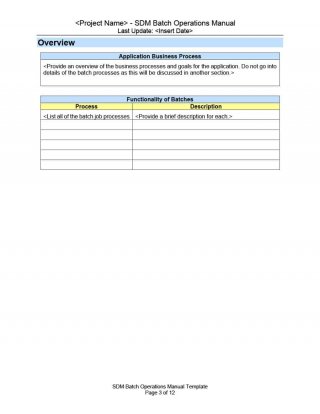
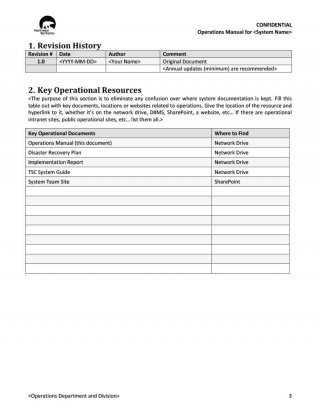
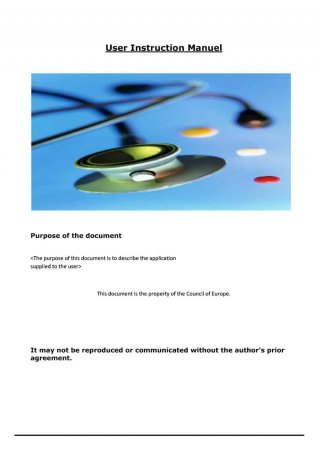

Video Guides for Writing User Instructions
Watching a short tutorial can give you extra ideas for structure, tone and layout before you begin. The three videos below cover the basics of manuals and user guides.
How to Write an Instruction Manual Template
User Instruction Manual Sample
Instruction Manual and User Guide Writing Tips
Related Templates
- free training manual templates for teaching staff a job
- free user manual templates for customer-facing guides
- free decision tree templates for troubleshooting flows
Frequently Asked Questions (FAQs) About Instruction Manuals
What is the difference between an instruction manual and a user guide?
The terms often mean the same thing. A manual may be more detailed and cover safety, maintenance and technical data, while a user guide is sometimes shorter and focuses on everyday use.
How long should an instruction manual be?
It depends on the product. A simple gadget may need only a few pages, while complex equipment or software may need a full booklet. Include everything the user needs and nothing they do not.
Should I use pictures in my manual?
Yes. Photos, screenshots and diagrams make steps easier to understand and cut mistakes, especially for setup and assembly.
How do I turn my finished manual into a PDF?
Finish editing in Word, then choose File, then Save As or Export, and select PDF. The PDF keeps your layout the same on every device.
Which file types do the downloads use?
Most downloads are Word documents, and a few arrive as ZIP files. Extract a ZIP and open the file inside with a program that supports it.
Can I add my company logo?
Yes. Insert your logo on the cover or in the header and change the colors and fonts so the manual matches your brand.
Do I need to include safety warnings?
For most products, yes. Place warnings before the steps they relate to, and check any legal or industry requirements that apply to your product and your market.
How do I know if my manual is clear?
Hand it to someone who has never used the product and watch them follow it without help. Wherever they hesitate or guess, add detail or a picture.




You must be logged in to post a comment.