Want an income statement template that already has the revenue, expense and profit lines in place? This page collects 9 free income statement templates for Excel, including simple one-page layouts and a 12-month version. Eight downloads are Excel files (XLS or XLSX) and one is a ZIP archive, so you can pick a format for a sole proprietor, a small shop, a freelancer or a household budget review.
How an Income Statement Works
An income statement, also called a profit and loss statement or P&L, shows what a business earned and spent over a period such as a month, a quarter or a year. It starts with revenue, subtracts the direct cost of what you sold to reach gross profit, subtracts operating expenses such as rent and wages, and ends with net income. Unlike a balance sheet, which is a snapshot on one date, the income statement covers a span of time, so the period must be clearly labeled at the top.
Owners use it to see whether sales are covering costs. Lenders and investors read it alongside the balance sheet and cash flow statement. Accountants use it as the starting point for tax preparation, although the rules that apply to you depend on where you live and how your business is set up.
Single-Step, Multi-Step and 12-Month Layouts
- Single-step statement: total revenue minus total expenses equals net income. It suits freelancers and very small businesses that want a quick answer.
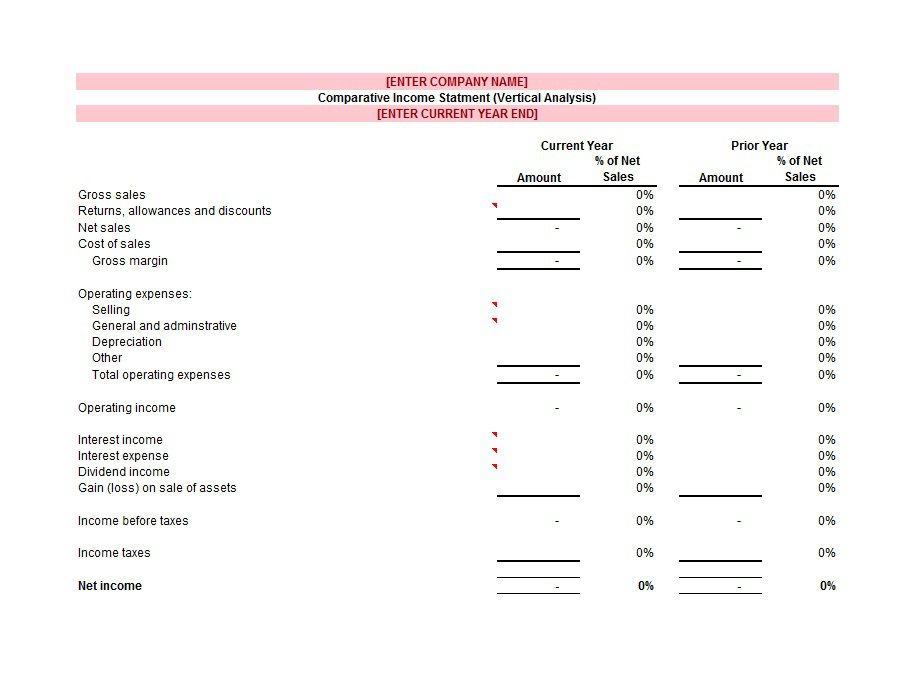
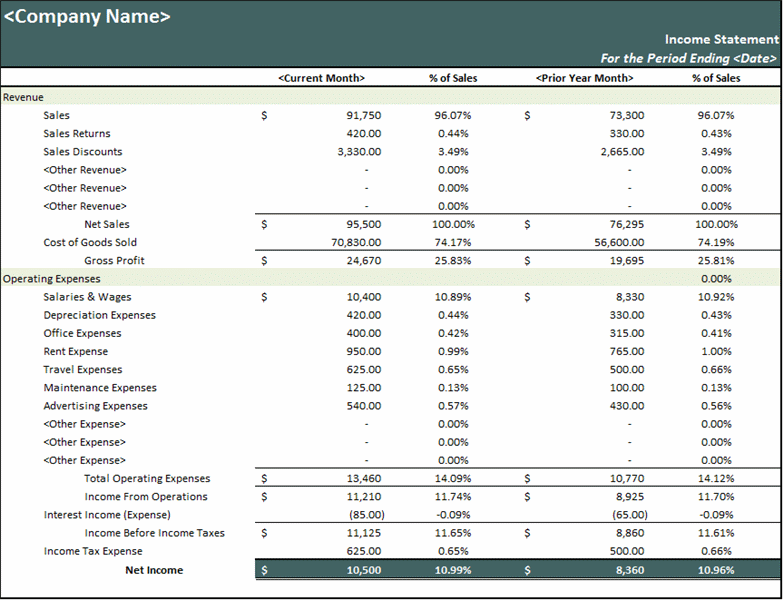
- Multi-step statement: separates gross profit from operating income and adds a section for other income and expenses such as interest. It is more useful when you sell products and want to watch margins.
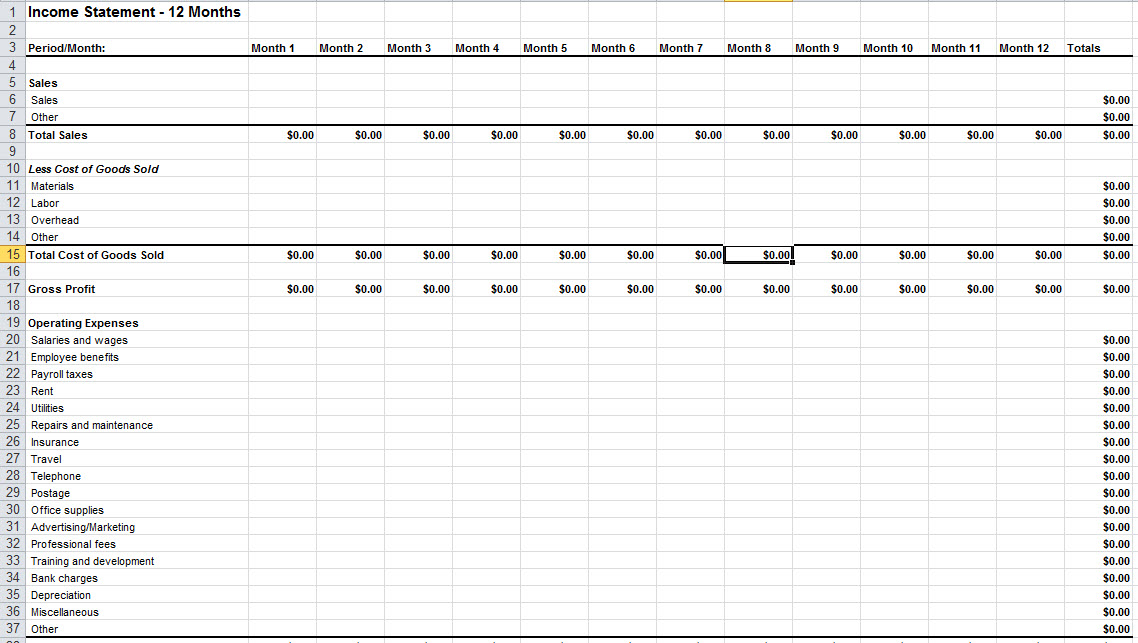
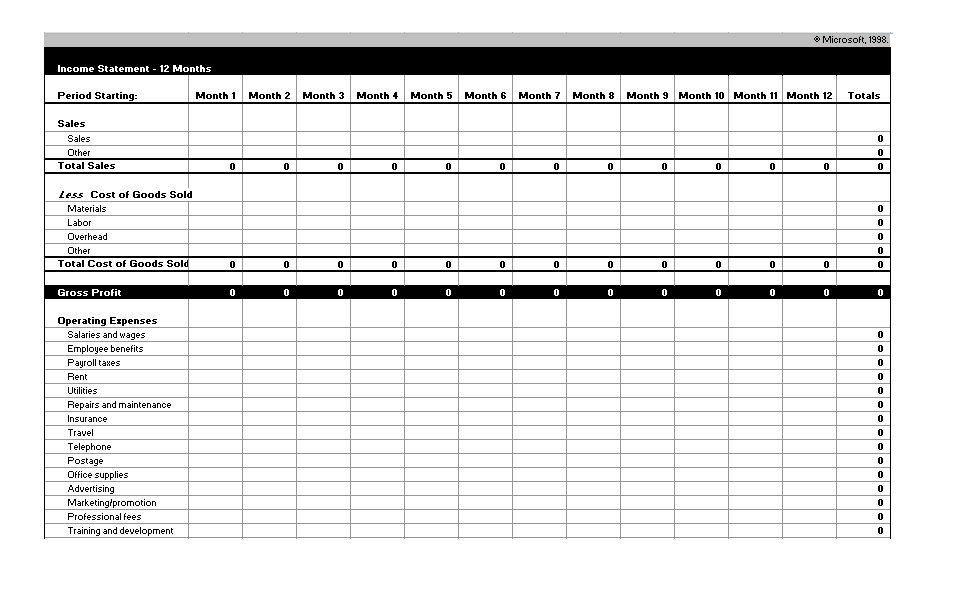
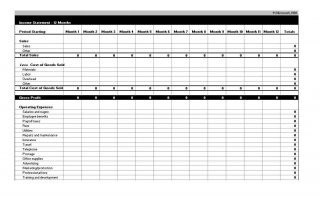
- 12-month statement: one column per month plus a total. It shows seasonal dips and spikes that a yearly total would hide.
- Personal income and expense summary: the same idea for an individual, listing pay, side income, and regular spending for the month.
A Small Worked Example
Suppose a home bakery sells items worth 8,000 in a quarter. Ingredients and packaging cost 3,000, so gross profit is 5,000, or 62.5 percent of revenue. Rent for a shared kitchen, delivery costs, marketing and insurance add up to 2,700. Operating income is 2,300. If interest on an equipment loan is 100, net income is 2,200. Seeing the numbers laid out this way answers questions such as whether raising prices or cutting delivery costs would help more. The figures are only an illustration; replace them with your own records.
Lines Every Income Statement Needs
- Business name, statement title and the exact period covered
- Revenue or sales, with returns and discounts shown separately if they matter
- Cost of goods sold, when you sell physical products
- Gross profit and, if useful, gross margin as a percentage
- Operating expenses grouped into categories such as rent, wages, utilities, software and marketing
- Other income and other expenses, such as interest
- Income tax, if you include it in the report
- Net income or net loss, shown clearly at the bottom
How to Fill In an Income Statement in Excel
- Choose one of the Excel layouts below and download it. The second sample arrives as a ZIP file, so extract it first and see which files it contains.
- Type your business name and reporting period in the header cells.
- Enter revenue from your sales records, bank deposits or invoices for that period only.
- Add cost of goods sold and then each operating expense in its own row.
- Check that the subtotal and net income cells still reference every row, especially if you inserted new lines.
- Compare the result with your bank statements as a sense check, then save a copy with the period in the file name, for example a month and year.
If you keep statements for several periods, store them in one folder and use the same file naming pattern. That way a lender, partner or accountant can open the right month without asking you which version is current.
Frequent Income Statement Mistakes
- Counting money in the wrong period. Decide whether you record income when invoiced or when paid and keep the method consistent.
- Mixing personal spending with business expenses, which distorts profit and makes tax time harder.
- Treating owner withdrawals or loan principal repayments as ordinary expenses, when they normally are not.
- Leaving out small recurring costs such as bank fees, subscriptions or card processing charges.
- Overwriting last month’s numbers instead of saving a new copy, which removes the history you need for comparisons.
- Assuming a template replaces professional advice. For tax filings, loans or audits, ask a qualified accountant to review your figures.
Using the Downloads on This Page
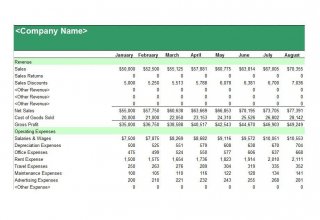
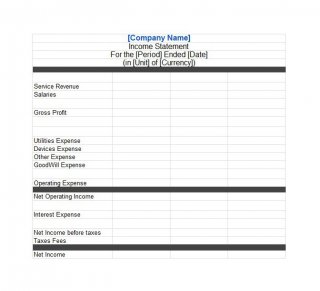
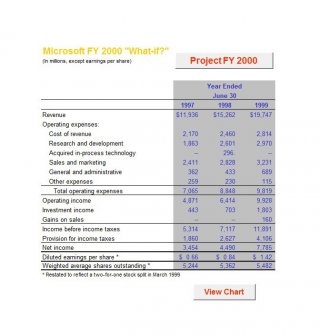
Click a preview to enlarge it, then use the download button next to it. Most buttons open an XLS or XLSX workbook that you can edit in Microsoft Excel or a compatible spreadsheet program. Formulas and formatting can differ slightly between programs, so review totals after opening. Some previews are large screenshots, and a few files may have slightly different names than the picture beside them, so check the layout after you open the download.
Template file guide
Before completing your template
- Use one reporting period for every line.
- Check that categories are consistent with the source records.
- Review formulas and totals after changing rows.
Use the file links below to open an option directly, or continue to the previews to compare layouts. File formats are taken from the linked filenames. Extract ZIP archives before checking the files inside.
| File or resource | Format / source |
|---|---|
| Excel income statement template | XLS |
| income statement templates ZIP | ZIP |
| simple Excel income statement template | XLS |
| 12-month income statement template | XLS |
| printable income statement template | XLS |
| small business income statement template | XLSX |
| multi-step income statement template | XLSX |
| monthly income statement template | XLS |
| basic income statement template | XLS |
Free Income Statement Templates for Excel









Related Templates
- free expense report templates for tracking the costs that feed your statement
- free sales report templates for summarizing revenue before it goes on the statement
- free monthly report templates for presenting results to a manager or partner
- free receipt of payment templates for documenting the payments you receive
Frequently Asked Questions About Income Statement Templates
Is a profit and loss statement the same thing?
Yes. Income statement, profit and loss statement and P&L are different names for the same report.
Which file types are included here?
Eight of the nine downloads are Excel files in XLS or XLSX format. One is a ZIP archive whose contents you should check after extracting it. None of the downloads are Word or PDF files.
How often should I prepare one?
Many small businesses do it monthly so they can react quickly, and then roll up quarterly and yearly totals. Lenders or tax rules may require a specific schedule, so check what applies to you.
What is the difference between an income statement and a balance sheet?
The income statement shows performance over a period. The balance sheet lists assets, liabilities and equity on a single date.
How do I calculate net income?
Subtract all expenses, including cost of goods sold, other expenses and taxes where relevant, from total revenue. A positive result is net profit and a negative one is a net loss.
What is gross margin and why does it matter?
Gross margin is gross profit divided by revenue, shown as a percentage. It tells you how much of each sale remains after direct costs, which helps when you set prices or compare products.
Can a freelancer without inventory use these templates?
Yes. Leave the cost of goods sold row blank or rename it to something like direct project costs, then list your normal expenses such as software, travel and equipment.
Can I add my own expense categories?
Yes. Insert new rows in the expense section, type your category name and check that the total formula covers the new row before you rely on the result.