Writing a death announcement for someone you love is hard, and a good obituary template gives you a starting point when the words will not come. This page offers 8 free, editable obituary templates and examples: a basic sample, a church obituary, a short announcement, a planning worksheet, and layouts for a mother and for a father. Every download is a ZIP file, so extract it, open the document inside and replace the sample wording with your own memories.
What an Obituary Does and Does Not Have to Say
An obituary, often called an obit, is a public notice that a person has died. It usually gives a short account of the person’s life and the details of the funeral or memorial service, and it is printed in newspapers, posted on funeral home pages and shared by churches and community groups. It is not a legal record and it does not have to be long. Families often feel pressure to include everything, but a few honest paragraphs about who the person was, who loved them and where friends can gather are usually more moving than a complete résumé.
Which Obituary Template Fits Your Situation
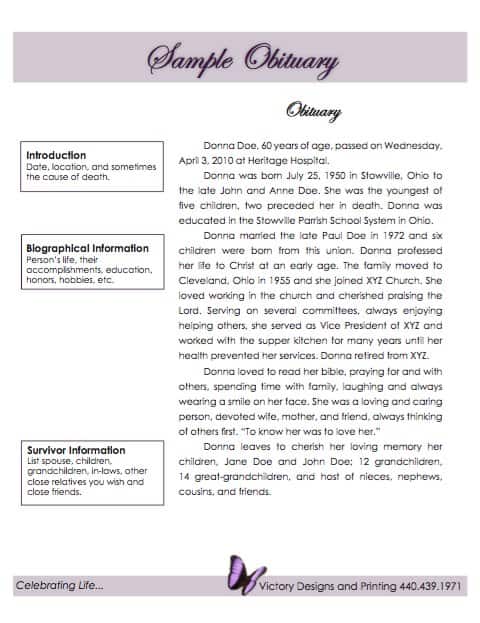
- Basic or sample obituary: a straightforward layout with life details and service information, suited to most newspaper notices.
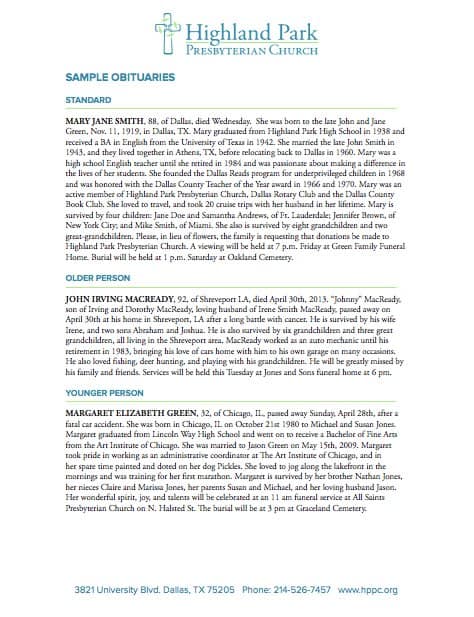
- Church obituary: leaves room for faith, congregation, the officiant and the church service details.
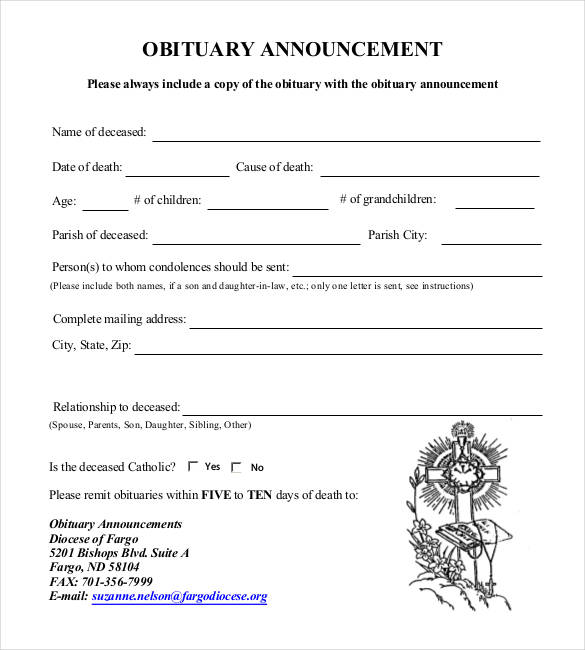
- Obituary announcement: a short notice for when you need to share the news and the arrangements quickly, before a longer tribute is ready.
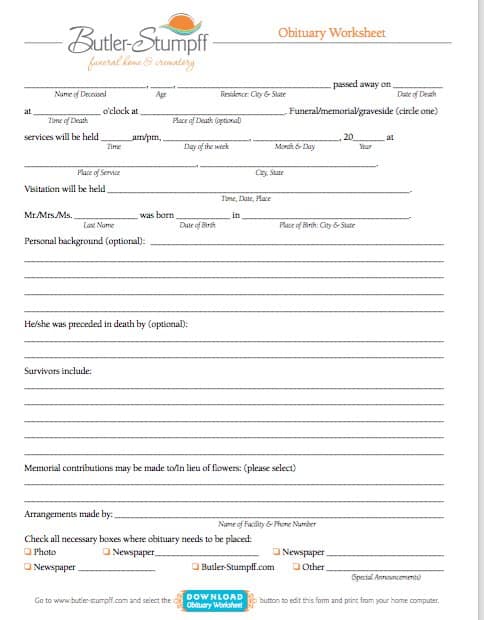
- Obituary worksheet: a step-by-step page for gathering names, dates and stories before you write anything, useful when several relatives are contributing.
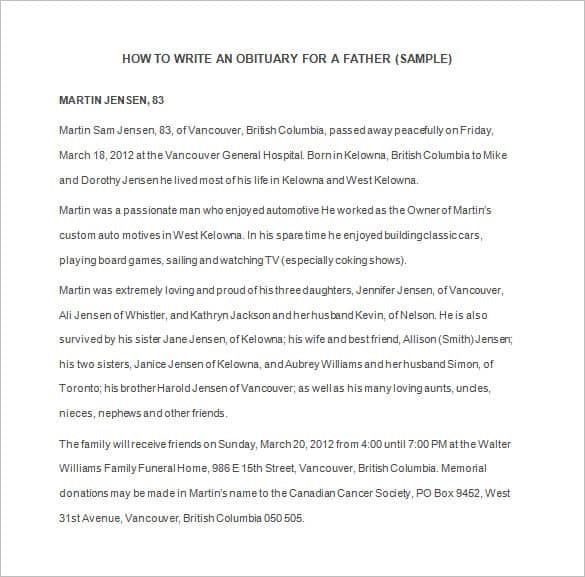
- Templates for a mother or father: layouts written for honoring a parent, with space for family memories and surviving relatives.
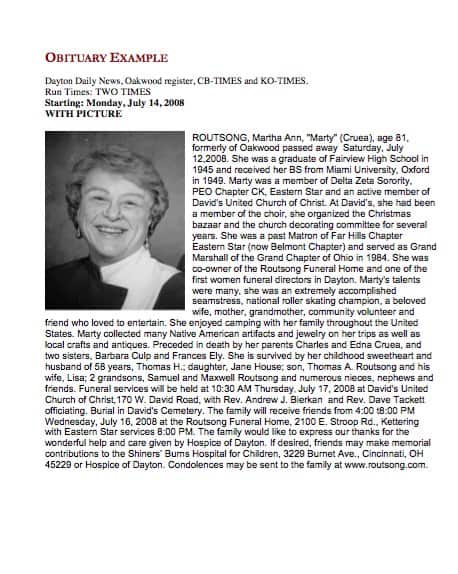
- Obituary example: a finished sample that shows how wording and structure can look, handy if you are unsure of the tone.
The file names on this page do not always match the preview above them exactly, so open each download and check that it is the layout you expected.
What to Include in an Obituary
- Full name, and any nickname the person was known by.
- Age, date of passing and, if the family wishes, the place.
- Date and place of birth, and where they lived.
- Family members: parents, spouse or partner, children, siblings, grandchildren, and those who died before them.
- Education, career, military service, volunteer work or community involvement.
- Hobbies, passions and the qualities people will remember.
- Service details: date, time and address of the visitation, funeral or memorial.
- Burial or cremation information, only if the family wants to share it.
- Where to send flowers or donations in the person’s memory.
A Short Sample Paragraph to Adapt
The names below are invented and are only here to show the tone. Replace every detail with your own.
- Opening: Margaret Ellen Foster, 84, of Riverside, passed away peacefully at home on March 3, surrounded by her family.
- Life: She taught third grade for thirty-one years, grew prize tomatoes, and never met a crossword she could not finish.
- Family: She is survived by her daughter Anne, her son Paul, four grandchildren and her sister June.
- Service: A memorial service will be held Saturday at 11 a.m. at Riverside Community Church. In lieu of flowers, donations may be made to the local library.
How to Write an Obituary Step by Step
- Gather the facts. Collect names, dates, places and family details, and confirm spellings with relatives.
- Choose a template. Pick one that fits the tone and the place where it will appear.
- Open with the announcement. State the person’s name, age and date of passing.
- Tell their story. Add a short summary of their work, interests and what made them special.
- List family members. Include only those the family wants to mention, and agree on the order in advance.
- Add service details. Give clear times and locations, and any donation instructions.
- Review carefully. Ask another family member to check every name and date before it is printed or published.
Mistakes and Sensitive Points to Handle Carefully
- Publishing the home address together with the time of the service, which can tell strangers when a house will be empty. Give the public venue only.
- Misspelling a name or mixing up a relationship. Read the notice aloud to someone who knew the family.
- Listing relatives without agreement. Blended families, former spouses and estranged relatives are best discussed before printing.
- Sharing the cause of death when the family has not decided to. It is a personal choice, and many notices leave it out.
- Ignoring the newspaper’s rules. Many papers charge by the line or set a word limit, so check the length and format requirements first.
Template file guide
Before completing your template
- Verify the spelling of names with the family.
- Confirm service dates, times and locations before sharing.
- Remove private details the family does not want published.
Use the file links below to open an option directly, or continue to the previews to compare layouts. File formats are taken from the linked filenames. Extract ZIP archives before checking the files inside.
| File or resource | Format / source |
|---|---|
| obituary template | ZIP |
| obituary example template | ZIP |
| church obituary template | ZIP |
| sample obituary template | ZIP |
| obituary worksheet template | ZIP |
| obituary announcement template | ZIP |
| obituary template for mother | ZIP |
| obituary template for father | ZIP |
Free Obituary Template Downloads
Click a preview to see it larger, then press the download button under it. Each button gives you a ZIP file. Extract it, open the document inside in Microsoft Word or a compatible program, and replace the sample text. You can change fonts, add a photograph and adjust the wording until it feels right, then print it or save it to send to the newspaper or funeral home.
Obituary Template in Word Style:
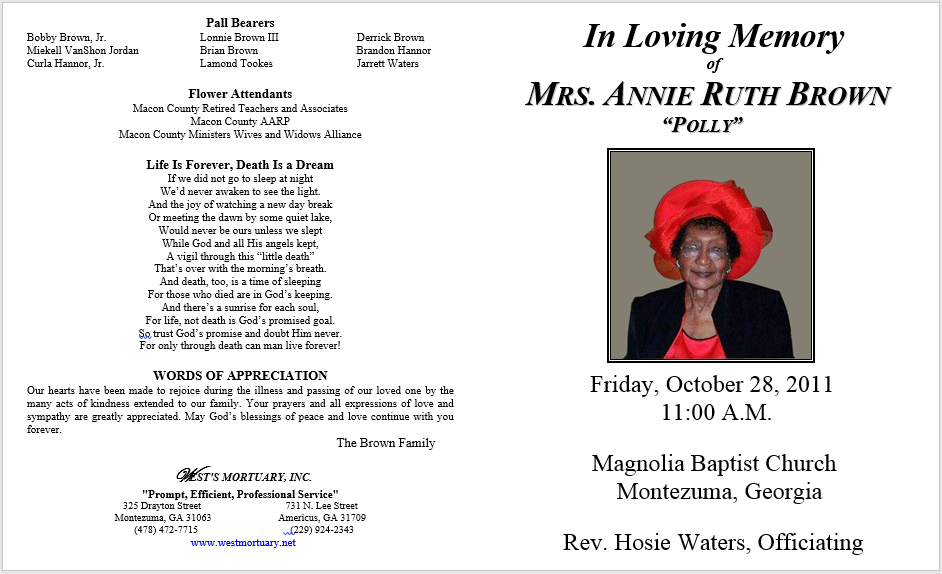



Obituary Example Template:

Church Obituary Template:

Sample Obituary Template:

Obituary Worksheet Template:

Obituary Announcement Template:

Obituary Template for Mother:


Obituary Template for Father:

Related Templates
- free funeral program templates
- free newspaper templates
- letter of recommendation formats
- free event planning templates
Frequently Asked Questions (FAQs) About Obituary Templates
What is the difference between an obituary and a death notice?
A death notice is a brief announcement of a death and the service details, often paid for by the line. An obituary is longer and tells more about the person’s life, family and character.
How long should an obituary be?
There is no single rule. Many are a few short paragraphs, but newspapers may set their own limits or charge by the line, so check their guidelines. Online obituaries can usually be longer.
Who usually writes an obituary?
Family members often write it, sometimes with help from a friend, a clergy member or the funeral home. The worksheet template helps when several people are sharing memories.
Do I have to include the cause of death?
No. It is a personal choice. Many notices simply say the person passed away peacefully or after an illness, or give no reason at all.
How do I write an obituary for a parent?
Start with the basic facts, then add what made your mother or father unique: a favorite saying, a hobby, the way they helped others. Ask siblings for memories so the notice sounds like the whole family.
Can I add a photo to the obituary?
Yes. You can insert a photograph into the Word document, and most newspapers and online memorial pages also allow one. Choose a clear, well-lit image.
What do I do with the ZIP download?
Extract it with your computer’s built-in tool, then open the document inside in Word or a compatible program and edit the sample text. Save a copy under a new name so the original stays untouched.
Where should the obituary be published?
Common places are local newspapers, the funeral home’s website, online memorial pages and the church bulletin. Ask each one about its format, deadline and cost before you submit.