A clean contractor invoice template turns “I finished the job” into a document a client can approve and pay. This page offers 5 free, editable, downloadable samples for builders, tradespeople, freelancers and subcontractors. Some downloads arrive as ZIP files, so extract them first, then replace the sample details with your own business, client and job information.
What a Contractor Invoice Does
A contractor invoice is the bill an independent worker sends to a client after completing work or reaching an agreed milestone. It records who did the work, who it was for, what was done, what it costs and when payment is due. Carpenters, plumbers, electricians, painters, landscapers, photographers, writers and designers all rely on invoices. A clear one also acts as a shared record: the client has proof of the charge, and you have paperwork for bookkeeping, tax records and any follow-up if payment is late.
Numbering, Dates and Payment Terms
Give every invoice a unique number, and keep the sequence simple, such as 2026-001, 2026-002 and so on. Gaps and duplicates make accounting harder later. Show both the invoice date and the due date, and state the terms in plain words, for example “Payment due within 14 days of invoice date” or “50 percent on signing, balance on completion”. If you charge interest or a late fee, say so on the invoice and make sure the client agreed to it in advance. Terms are only fair game if the client knew about them before the work started.
Deposits, Milestones and Materials
Larger jobs are rarely billed in one lump. Many contractors take a deposit before starting, then invoice at stages such as demolition complete, rough-in complete and final finish. Each invoice should refer to the original quote or contract and show the running total, so the client can see what has been paid and what remains. Materials can be listed separately from labor, either at cost or with an agreed markup. Whatever you choose, describe it on the quote first, and keep supplier receipts in case the client asks to see them.
A Sample Line-Item Layout
To show how detail helps, here is an illustration of a small bathroom repair. “Labor, 6 hours at $45 per hour: $270. Materials: replacement tap set $38, sealant $9. Call-out fee: $25. Subtotal: $342. Tax at [rate]: [amount]. Deposit received: minus $100. Balance due: [amount], payable by [date].” The figures are made up to show the structure, so use your own rates and check what tax, if any, applies to your work. Listing hours and rates separately makes the total easy to check and reduces disputes.
Tax, VAT and Record Keeping
Whether you charge sales tax or VAT depends on where you work, what you sell and your business status. Some places require specific wording or a tax registration number on the invoice, while others do not. If you are unsure, ask a local accountant or check your tax authority’s guidance instead of guessing. Whatever the rules, keep a copy of every invoice, and save it under a consistent file name such as client name plus invoice number. Records are useful at tax time and when you need evidence for an unpaid bill.
Common Invoicing Mistakes
- Sending an invoice with no number or a repeated number.
- Describing the work as “services rendered” without saying what was done or on which dates.
- Forgetting to subtract a deposit that has already been paid.
- Leaving out bank or payment details, so the client has to ask.
- Adding extras that were never mentioned in the quote or approved in writing.
- Waiting weeks to invoice, by which time the client may have forgotten the details.
Using the Five Downloads
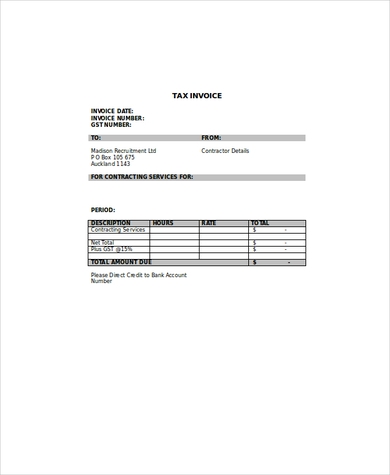
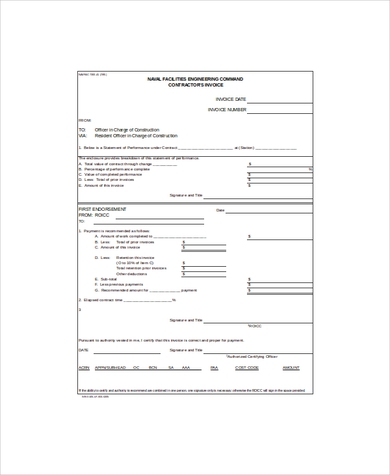
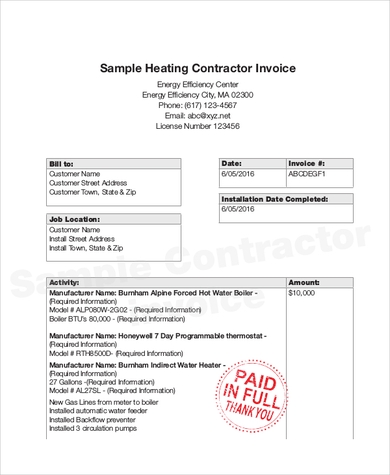
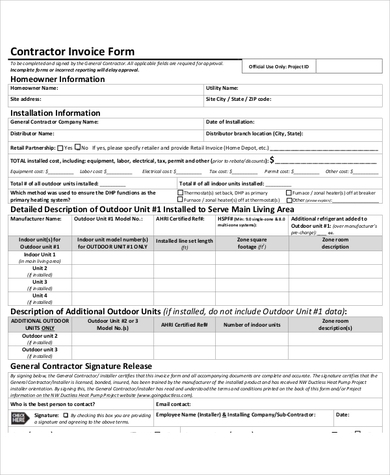
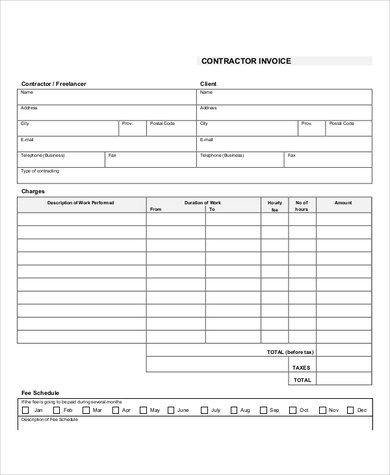
Each sample below has a preview image followed by a download button. Click the preview to see it at full size and check the layout, then press the button to save the file. Some downloads arrive as ZIP files, so extract them first and open the contents in a program that can edit them. Add your name, logo and contact details, type in the client information, list each service or item with quantity, rate and amount, and check the total twice. Save a clean copy as your own master and use it for each new job. The names of the samples suggest a tax invoice, an Excel-style invoice, a sample invoice, a form-style layout and a general example, so look through all five before choosing.
Choosing a Layout for Your Trade
A plumber who bills mostly by the hour needs clear columns for time and rate, while a painter quoting per room may prefer a short list of fixed prices. Freelance writers and designers often invoice per project and add a line for revisions. Look at how you normally charge, then pick the sample whose columns match, and delete rows you never use. A shorter invoice is easier for the client to read and approve, and it leaves less room for questions that delay payment. If you work with the same client regularly, add their details once and save the file as a ready-made client copy. It also helps to add a short thank-you line and your contact number at the bottom, so clients know how to reach you with questions about the bill.
Template file guide
Before completing your template
- Match billed work to the agreed job or milestone.
- Show deposits already paid when calculating the balance.
- Check invoice number, client details and payment instructions.
Use the file links below to open an option directly, or continue to the previews to compare layouts. File formats are taken from the linked filenames. Extract ZIP archives before checking the files inside.
| File or resource | Format / source |
|---|---|
| contractor tax invoice template | ZIP |
| contractor invoice template | ZIP |
| sample contractor invoice template | ZIP |
| contractor invoice form template | ZIP |
| contractor invoice example template | ZIP |
Contractor Invoice Template Samples

Related Templates
- quotation templates for pricing a job before it starts
- purchase order form templates for ordering materials
- payment receipt templates for confirming money received
- expense report templates for tracking job costs
Frequently Asked Questions (FAQs) About Contractor Invoice Templates
What should a contractor invoice include?
Your details, the client’s details, a unique invoice number and date, a description of the work, hours and rates or a fixed price, materials, any tax, the total due, the due date and payment instructions.
What is the difference between an invoice and a quote?
A quote states the expected price before the work begins. An invoice is issued after the work, or at an agreed milestone, to request payment.
Can freelancers use these samples too?
Yes. They suit contractors, freelancers and self-employed professionals in construction, repairs, photography, writing, design and more. Adjust the wording to fit your service.
Should I charge tax on a contractor invoice?
That depends on where you work and your business status. Check with your local tax authority or an accountant, and add a tax line only if it applies.
How do I handle a deposit on the invoice?
List the full amount for the work, then subtract the deposit already received as a separate line, so the balance due is clear.
How soon should I send an invoice?
As soon as the work or milestone is complete. Prompt invoicing helps the client process payment sooner and keeps your cash flow steady.
What can I do if a client pays late?
Send a polite reminder that quotes the invoice number and due date. If your terms include a late fee, apply it as agreed, and keep records of your messages.
How do I send the finished invoice?
Complete the sample, save or export it as a PDF from your program, and email it to the client, or print it and hand it over. Keep a copy for your records.


You must be logged in to post a comment.