Want to put together a paper without designing the page from scratch? A free newspaper template gives you the masthead, columns and picture boxes already arranged, so you can concentrate on the stories. This page offers 3 editable newspaper layouts for school projects, club bulletins and family keepsakes. One download is a .doc file and the others arrive as ZIP files that you extract first. Click a preview to see it full size, then press the download button beside it.
Who Uses a Newspaper Template
A newspaper page is useful far beyond journalism. Teachers set mock front pages as history or book-report assignments, clubs and churches produce monthly bulletins, and families create one-off papers for reunions, weddings and milestone birthdays. The layout you need depends on the job.
- School newspaper: short items on classes, sports, clubs and events written by students, usually with one lead photo.
- History or literature project: a “front page” dated to the event being studied, with headline, eyewitness quotes and an illustration.
- Community or neighborhood bulletin: notices, meeting dates and volunteer calls for residents.
- Family or gift newspaper: a humorous or sentimental page with invented headlines about the guest of honor.
- Company or association update: news for staff or members, with room for announcements.
Anatomy of a Front Page
Knowing the parts helps you fill a template quickly and consistently.
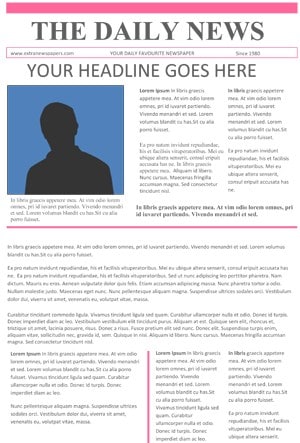
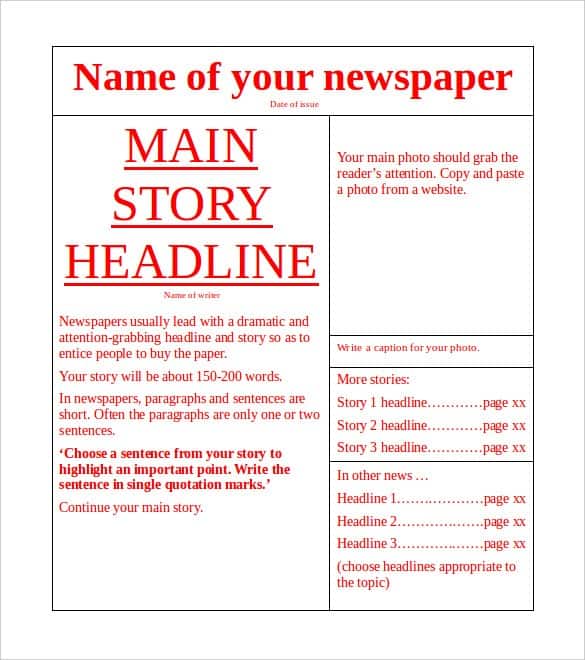
- Masthead: the paper’s name, often with the date and issue number.
- Headline: the largest, boldest line, telling readers the main story at a glance.
- Byline: the writer’s name.
- Lead paragraph: the opening that answers who, what, when, where and why.
- Columns: narrow text blocks that are easier to scan than full-width lines.
- Photos and captions: an image with a one-line description of who or what is shown.
- Sidebars and boxes: short extras such as weather, a quote, an announcement or upcoming events.
Making Your Paper Step by Step
- Decide who will read it and what they care about.
- Choose the layout that suits your amount of text and number of pictures.
- Write each article with the most important facts first, in short sentences.
- Draft a clear, active headline for each story, and make the main one the largest text on the page.
- Add photos or drawings with brief captions.
- Adjust fonts, column widths and spacing until the page looks balanced.
- Proofread names, dates and spelling, then print a test page before making copies.
A Short Sample Article
To show the inverted pyramid in action, here is an invented school-paper item: “Grade 6 Wins Spelling Contest. Grade 6 took first place in Friday’s inter-class spelling contest, finishing with 42 points. The contest, held in the school hall, drew 120 students and ran for two hours. ‘We practiced every lunch break,’ said team captain Sam Lee. The winning class will choose the location of next month’s picnic.” Notice that the headline gives the result, the first sentence covers who, what, when and where, and details and a quote follow in order of importance.
Writing Tips for Newspaper Articles
Newspaper writing follows a simple pattern you can copy. Begin with the most important information, then add supporting details in order of importance. Stick to facts, attribute quotes to the person who said them, and keep paragraphs to a few sentences each. For a school or family paper, add light-hearted features such as puzzles, interviews or a calendar to keep readers engaged. Read every article aloud before printing, since awkward sentences and typing mistakes are easier to hear than to see. If several people contribute, choose one editor to check consistency of style, spelling and dates across the whole paper.
Fonts, Colors and Layout Choices
Traditional papers often pair a bold serif or decorative font for the masthead with a plain, readable serif for body text, and use a sans-serif font for captions and small boxes. Limit yourself to two or three fonts in total. Black text on a light background is easiest to read, and one accent color can highlight headings or boxes. If you plan to print in black and white, check that your pictures and shaded areas still look clear in grayscale, and leave some white space around articles so the page does not feel crowded.
Section Ideas to Fill the Page
- A front-page headline story with two or three shorter news items.
- A sports or activities report with a photo.
- Interviews, profiles or a “person of the month” feature.
- A weather, calendar and announcements box.
- An opinion or letters section.
- Puzzles, jokes or a comic strip.
- Classified-style notices for lost items, thank-yous or upcoming meetings.
Editing the Downloaded Files
ZIP downloads should be extracted first, then the Word file inside can be opened in Microsoft Word or a compatible word processor. Click the sample text to replace it with your own, resize or swap pictures, and change colors and fonts to match your theme. Save often. Only use photographs and text you have permission to publish, and credit the photographer when needed. You can also browse more newspaper templates on a related site. If you would like a walkthrough, watch the video below.
Video Tutorial: Editing a Newspaper Template

Template file guide
Before completing your template
- Replace the masthead, issue date and placeholder headlines.
- Check names, image credits and article text.
- Print a test page to check column flow and readable type.
Use the file links below to open an option directly, or continue to the previews to compare layouts. File formats are taken from the linked filenames. Extract ZIP archives before checking the files inside. Outside provider links take you to another website; check that site’s available formats and terms.
| File or resource | Format / source |
|---|---|
| newspaper template, layout one | ZIP |
| newspaper template, layout two | DOC |
| newspaper template, layout three — option 1 | ZIP |
| newspaper template, layout three — option 2 | Outside provider |
Download Free Newspaper Templates
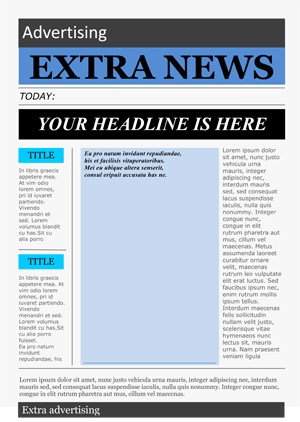
The three samples below show different page designs, so you can compare layouts and pick the one that suits your writing and pictures. The third preview links to an external newspaper template page, and its download button beside it links to a ZIP file.





Related Templates
- free event planning templates for organizing the occasion your paper celebrates
- free sign-up sheet templates for recruiting student or volunteer writers
- printable memo templates for short internal announcements
Frequently Asked Questions (FAQs) About Newspaper Templates
How many columns should a newspaper page have?
Many newspapers use three to five columns, but a school or family paper can use fewer. Choose whatever keeps your text easy to read.
What is the inverted pyramid in news writing?
It is a style that puts the most important facts first and less important details afterward, so readers get the key message quickly.
How long should a school newspaper article be?
Most short items run between 100 and 250 words. Lead stories can be longer, but check they fit the column space in your layout.
How do I change a picture in the template?
Select the sample picture, delete or replace it, and insert your own image from your computer, then resize it to fit the box.
Can I use the layouts for a mock historical front page?
Yes. Change the masthead, date and headline, write short eyewitness-style quotes, and add a picture that suits the period you are studying.
Do I need permission to use photographs?
Only use pictures you have taken yourself or have permission to publish, and credit the photographer where appropriate.
Are these newspaper templates free to download and edit?
Yes. The three layouts are free to download and edit. One is a .doc file and the others are ZIP files, so extract those before opening.
How do I print the paper at home?
Print a test page first to check margins and image quality, then print as many copies as you need on standard paper.